


Moe’s Southwest Grill
4.63.92K Reviews
App Specs
- Version
- 4.33
- Updated On
- License
- Free
- Downloads
- 1,000,000+
- Developer
- Moe's Southwest Grill
- Categories
- Lifestyle
- Platform
- Android
Screenshots
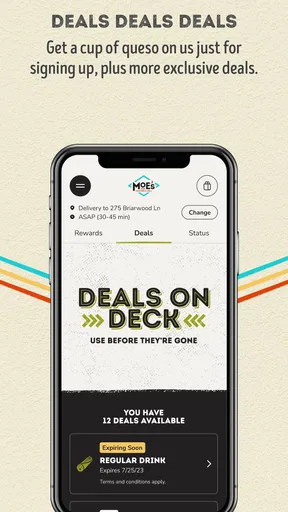
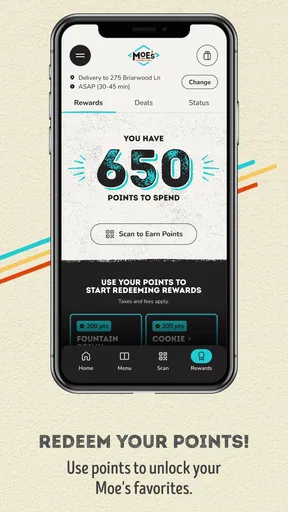
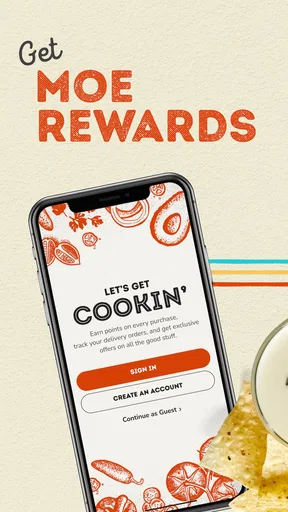
 Analysis by AppCompare
I tend to judge restaurant apps by what happens when I am hungry, in a hurry, and standing outside the door—not by how polished the first screen looks. Moe’s Southwest Grill takes a fairly focused approach: it puts the restaurant’s mobile experience and Moe Rewards in one place, with the main practical reason to keep using it being points earned from purchases. I found it most useful as a repeat-visit companion rather than as a general food-discovery app.
That distinction matters. If you already visit Moe’s Southwest Grill, the app can make those visits easier to organize and gives your purchases a place in the restaurant’s rewards system. If you only want a broad restaurant directory, delivery marketplace, or comparison tool, this is not really designed for that job. It is a free lifestyle app from Moe’s Southwest Grill, available for Everyone, and its value depends heavily on how often the restaurant fits into your routine.
Where the experience usually gets stuck
The first point of friction is often expectation. A restaurant app may look like it should replace every part of the ordering process, but the useful experience here is tied to Moe’s own ecosystem. I would approach it as a direct channel for interacting with Moe’s, not as a universal way to browse every nearby eating option. That keeps the app’s role clear before you spend time setting it up.
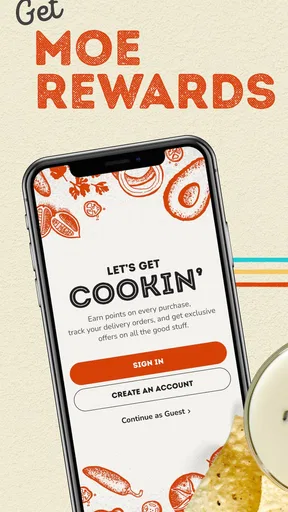
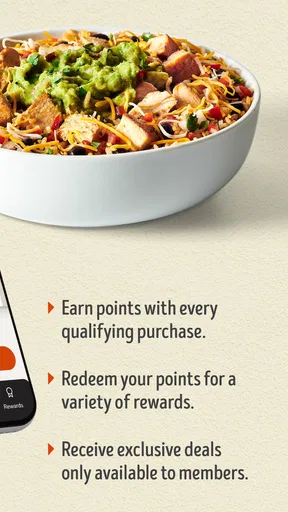
The second sticking point is rewards tracking. The central promise is simple—earn points with every purchase through Moe Rewards—but rewards only help when the purchase is connected to the right account or ordering path. In everyday use, the important habit is to pause before paying and make sure you are signed in to the account you intend to use. A few seconds of checking is preferable to discovering later that a visit did not appear where you expected.
I also would not treat the presence of the app as proof that every restaurant visit will behave identically. A phone may be offline, a session may have expired, or the restaurant’s own systems may be busy. Those situations can make the app feel broken even when the underlying problem is temporary or connected to the visit itself. Keeping that distinction in mind prevents unnecessary reinstalling and repeated tapping.
Another practical issue is timing. When I am ordering during a busy meal period, I want the app to reduce decisions, not create another task. Before arriving, I would open it while I still have a stable connection, check that the account is available, and decide whether I am using it mainly for the order or for rewards. This small change in workflow makes the app less stressful than trying to solve account and checkout questions at the counter.
What to check before relying on a rewards visit
My most useful rule is to verify the account first, then start the purchase. That is more reliable than assuming a previous session is still active. If you share a phone with someone else, or regularly switch between personal accounts, this check becomes especially important. Rewards apps are easy to misunderstand when the device remembers one login while the user believes another one is active.
Worth Reading Before You Choose

EA SPORTS FC Mobile 26 Is a Bigger Football Game, but It Takes Time

Flipboard Shows What News Apps Must Do Beyond the Feed

Switching to Android Auto Means Rethinking Your Driving Routine

Google Calendar Makes a Crowded Week Easier to Manage

Ludo King Makes the Most of the Minutes Between Plans

Baby Panda World Brings Quick Play to Modern Phones, but Its Game Library Feels Busy
I would also keep the app updated when possible. The current version is 4.33, and it supports devices running Android 8.0 or later. Those details are worth checking before troubleshooting because an older operating system can limit what a current app can do, while an outdated installation can produce behavior that disappears after an update. On iOS, the same general principle applies: use the current version available for your device rather than assuming every release behaves the same way.
There is no benefit in clearing everything immediately. Start with the least disruptive checks: close and reopen the app, confirm the phone has a working connection, and sign in again if the account screen looks incomplete. Only after those steps would I consider reinstalling. Reinstallation can remove local state and force another login, so it is better used as a recovery step than as a reflex.
If the app is slow, I would first try a different connection rather than repeatedly pressing the same button. A weak restaurant signal, crowded public Wi-Fi, or a temporary mobile-data issue can interrupt a request. Waiting briefly and trying once on a dependable connection is usually more sensible than creating duplicate attempts. This is particularly important around checkout, where uncertainty about whether an action completed can lead to confusion.
A setup routine that saves time later
My preferred setup is deliberately boring. I install Moe’s Southwest Grill from the official store, open it before my first planned visit, and make sure I can reach the account area without rushing. I then look for the rewards information and familiarize myself with where purchase-related details appear. I do not wait until I am already in line to discover that I need to remember a password or confirm an account.
I would also make a personal note of the email address or sign-in method used. That sounds trivial, but it helps when a phone has several saved accounts or when someone changes devices. The goal is not to collect credentials in an unsafe place; it is simply to avoid guessing which account should receive the visit. If you use a password manager, this is a good time to confirm that it can fill the correct login.
For a family or shared-device situation, I would decide in advance whose rewards account is being used. Mixing accounts during separate visits makes the history harder to understand and can make a missing purchase look like an app failure. A consistent account is more useful than trying to optimize every individual transaction after the fact.
The app is free, which lowers the cost of trying it, but free does not mean frictionless. You still spend time signing in, maintaining the installation, and checking that a purchase is associated with the intended account. I think that trade-off is reasonable for regular Moe’s customers, while occasional visitors may find the setup more effort than the rewards benefit justifies.
Recovering a disrupted ordering or rewards workflow
When something goes wrong, I use a simple sequence instead of changing several things at once. First I identify the exact point of failure: opening the app, signing in, viewing rewards, starting an order, or confirming a purchase. Then I test one likely cause at a time. This makes it easier to know whether the problem is the phone, the connection, the account session, or the restaurant service.
If the app opens but the account looks wrong, signing out and back in is a better first move than deleting the app. If it fails to load at all, I check the connection and restart the app. If a screen remains stuck after that, I restart the phone and try again later. These are ordinary steps, but they preserve local information and avoid turning a small interruption into a full setup job.
When a purchase does not appear as expected, I would avoid repeating the purchase immediately. First confirm whether the transaction actually completed through the channel being used, then check the account again after a short interval. Duplicate attempts can make the situation harder to explain. Keep any confirmation or receipt information available so that, if support is needed, you can describe what happened without relying on memory.
A useful recovery habit is to separate ordering from rewards verification. If you are already at the restaurant and the app is misbehaving, completing the meal through an available alternative may be more sensible than holding up the entire visit. You can then investigate the account afterward. This is one of the clearest trade-offs with a rewards-centered restaurant app: convenience is valuable, but it should not control the whole meal.
I would not repeatedly reinstall after every missing screen. Reinstallation can help when the installation itself is damaged, but it also creates extra login work and may not solve a server-side or connectivity problem. Use it when the app consistently crashes or refuses to open after simpler checks, not merely because a reward has not appeared instantly.
When the app is not the cause
Restaurant technology has several moving parts. The app may be working correctly while the restaurant’s ordering system, account service, or network connection is temporarily unavailable. From a user’s perspective, all of those failures can look like one frozen screen. That is why I try the same account on a stable connection and compare the result with what is happening at the restaurant before blaming the installation.
Location can also create confusion. If you are traveling, visiting a different Moe’s, or attempting to use the app in an unfamiliar area, do not assume that a behavior from one visit proves what will happen everywhere. The restaurant experience may depend on the location and the route used to place the purchase. I would verify the selected restaurant carefully before confirming anything.
There is another non-technical limitation: the app cannot make an infrequent customer benefit from rewards automatically. If Moe’s is only an occasional choice, a normal browser search, a map app, or ordering directly through whatever method you already trust may be quicker. Those alternatives are often better when your priority is comparing restaurants, checking broader delivery options, or finding a meal without committing to one chain’s account system.
On the other hand, frequent Moe’s customers have a stronger reason to accept the small amount of maintenance. The app has more practical value when you repeatedly visit the same brand, want purchases connected to Moe Rewards, and prefer keeping that activity in one place. Its focused design is a weakness for broad discovery but a strength for a customer who already knows where they want to eat.
How it compares with ordinary alternatives
A map application is better for discovering nearby restaurants, comparing opening information, and navigating unfamiliar areas. A delivery marketplace is better when you want to compare several restaurants in one checkout flow. A mobile browser can be more convenient for a one-time visit because it avoids adding another dedicated app. None of those alternatives is as specifically centered on the Moe’s relationship and Moe Rewards workflow.
That comparison helped me decide who should install it. I would recommend it to someone who orders from Moe’s often enough to remember the account and care about earning points with purchases. I would be less enthusiastic for someone who wants a neutral food search tool or who rarely visits the chain. The app’s narrow purpose is not a flaw by itself, but it means the right user matters more than the feature count.
The public response suggests that many people find the app worthwhile: it holds a 4.5 average from around 18 thousand ratings, with more than three thousand written reviews, and it has passed one million installs. Those figures indicate broad adoption, but they do not guarantee a perfect experience on every phone or at every restaurant. I read them as evidence that the core idea works for many users, not as a reason to ignore the setup and recovery habits that make it dependable.
Who should use it, and who should skip it?
I think it is a good fit for a regular Moe’s customer who wants a free way to keep restaurant activity connected to Moe Rewards. It is also sensible for someone who prefers preparing an order before arriving instead of handling every detail at the counter. The best results come from treating the app as part of a repeat routine: sign in once, check the account before buying, and review the result after the visit.
I would skip it if you only visit Moe’s once in a while and do not want another account to maintain. I would also skip it as your main food app if your priority is comparing chains, restaurants, or delivery services. In those cases, a map or marketplace app will usually match the job better. The fact that this app is free makes experimentation easy, but it does not remove the opportunity cost of installing and managing something you may barely use.
For older devices, the Android requirement is also a practical filter: phones below Android 8.0 are not suitable for the current release. If your phone meets the requirement but still struggles, check available storage, connection quality, and whether other apps are behaving similarly before concluding that Moe’s is uniquely responsible. Those checks can quickly distinguish a device-wide issue from an app-specific one.
My practical verdict after using it as a repeat-visit tool
Moe’s Southwest Grill is best understood as a focused restaurant companion, not a universal food-ordering solution. I like the clear reason to return: purchases can contribute to Moe Rewards, and regular customers can build the app into their normal Moe’s routine. The free price and Everyone age rating make it easy to try, while the version and operating-system requirements give Android users a straightforward compatibility check.
My reservation is that the experience depends on disciplined use. You need the right account, a working connection, and enough time to recover if a session or purchase does not behave as expected. The app is not the right place to solve every restaurant problem, and it should not be allowed to delay a meal when the restaurant or network is having trouble. I would keep a browser, map app, or direct restaurant option available as a fallback.
Overall, I would recommend installing it if Moe’s is already one of your regular stops. Open it before you arrive, confirm the account, use a stable connection, and check the purchase result without repeatedly retrying. With those habits, the app’s narrow focus becomes useful rather than limiting. For occasional visitors, the usual alternatives may be simpler; for loyal Moe’s customers, this is a practical way to keep rewards and restaurant visits together.
Pros
- Generous portions make many menu items filling.
- Online ordering helps reduce wait times during busy periods.
- Frequent promotions can make meals more affordable.
- Customizable ingredients suit different taste preferences.
- Catering options are convenient for group meals and events.
Cons
- Prices may feel high compared with other fast-casual chains.
- Some locations have limited seating during peak hours.
- Menu nutrition can vary widely with toppings and sauces.
- Food quality and service may differ between individual locations.
- Vegetarian choices are available but less extensive than meat options.
FAQs for Moe’s Southwest Grill
What is Moe’s Southwest Grill, and what can I do with the app?
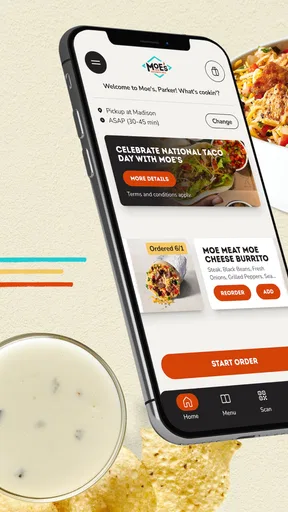
Moe’s Southwest Grill is a fast-casual restaurant app designed to make ordering Mexican-inspired meals more convenient. After installing it, you can browse the menu, customize burritos, bowls, tacos, quesadillas, and other items, choose pickup or delivery where available, locate nearby restaurants, and review current offers. The exact features may vary by location, so checking your local restaurant’s availability is recommended.
Can I customize my food order in the Moe’s Southwest Grill app?
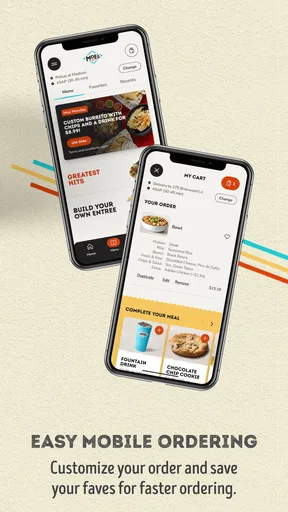
Yes. One of the app’s most useful features is the ability to personalize many menu items before placing an order. Depending on the selected dish, you can usually choose ingredients, toppings, sauces, proteins, sides, and other options. Customization choices, allergen information, prices, and ingredient availability may differ by restaurant, so review the order carefully before checkout.
Does the Moe’s Southwest Grill app offer rewards or special discounts?
The app may include a rewards program, promotional offers, and account-based benefits for eligible customers. Availability and terms can change, and some rewards may require registration, a qualifying purchase, or a specific redemption period. Before downloading, users should check the current program details in the app, including expiration dates, participating locations, and whether rewards can be combined with other promotions.
Can I order Moe’s Southwest Grill for delivery or restaurant pickup?
In many areas, the app supports advance ordering for pickup and may provide delivery options, depending on the restaurant and local service coverage. You can generally select a nearby location, choose an available ordering method, schedule or confirm the timing, and pay through the app. Delivery fees, minimum order requirements, estimated times, and available menu items can vary by location.
Is the Moe’s Southwest Grill app free, and what should I know about privacy?
Downloading the Moe’s Southwest Grill app is generally free, although you still pay for food, taxes, delivery charges, or applicable service fees when placing an order. The app may request account, payment, location, and contact information to support ordering and restaurant-finding features. Before creating an account, review the app’s privacy policy and permission settings to understand how your information is handled.


